

Feature · Knowledge Hub
Write it once. Find it forever.
A block editor for the people writing policies, guides, and how-tos. A category tree and a search bar for the people reading them. Every publish is a version, every version is restorable, and the policy you published last March is one click from the one going out tomorrow.
What you get
A real editor. A real library. A way to find what you wrote.
One library for the whole company, organised by category, written in a block editor, and reachable from Cmd+K anywhere in the product.
One library, two levels deep
Category, then article. No sub-folders, no five-level drills. Every policy, guide, and how-to lives in a tree the whole team can navigate without a tour.
A block editor that feels familiar
Thirteen block types covering headings, lists, tables, code, callouts, file attachments, and embedded videos. A formatting toolbar your team already knows how to use, so they write from day one.
Cmd+K finds it across the product
One search bar covers People, Posts, Spaces, Knowledge Hub, Academy, and Chat. Articles surface by title, body, tag, category, and author, so the right one comes up first.
Every publish is a version
Each publish increments the version number and a side-by-side diff shows what changed. Admins can restore any earlier version, and the full history stays with the article for its whole life.
Inside the editor
The AI toolbar lives in the editor, not in a side panel.
Highlight a sentence and a small toolbar appears in place. Polish the wording, shorten the paragraph, or translate it for the rest of the team. The new version streams in where the old one was, with no new tab, no chatbot, and no copy-paste.
Polish, shorten, translate in place
Highlight a sentence and a small toolbar appears where the highlight is. Polish, shorten, or translate the wording, powered by Vertex AI. The new version streams in where the old one was.
Five templates so the seventh policy looks like the first
Company Policy, How-To Guide, Meeting Notes, Onboarding Checklist, and FAQ are ready to go. Comms Admins can save any article as a custom template for the rest of the team.
A draft becomes a published policy
Articles move through Draft, In Review, Published, and Archived. HQ tier adds an approval gate for new articles and the major edits that change what a policy actually says.
Was this article helpful?
Every article ends with a thumbs up or thumbs down. Authors and admins see the helpful rating, the view count, and the read rate. Articles with no views in 90 days get auto-flagged so the wiki cleans itself up.
How the library holds itself together
Built to outlive the person who wrote it.
A wiki is only as good as the version history behind it, the structure people use to start, and the editor that catches them when they need help. The Knowledge Hub gives you all three on day one.
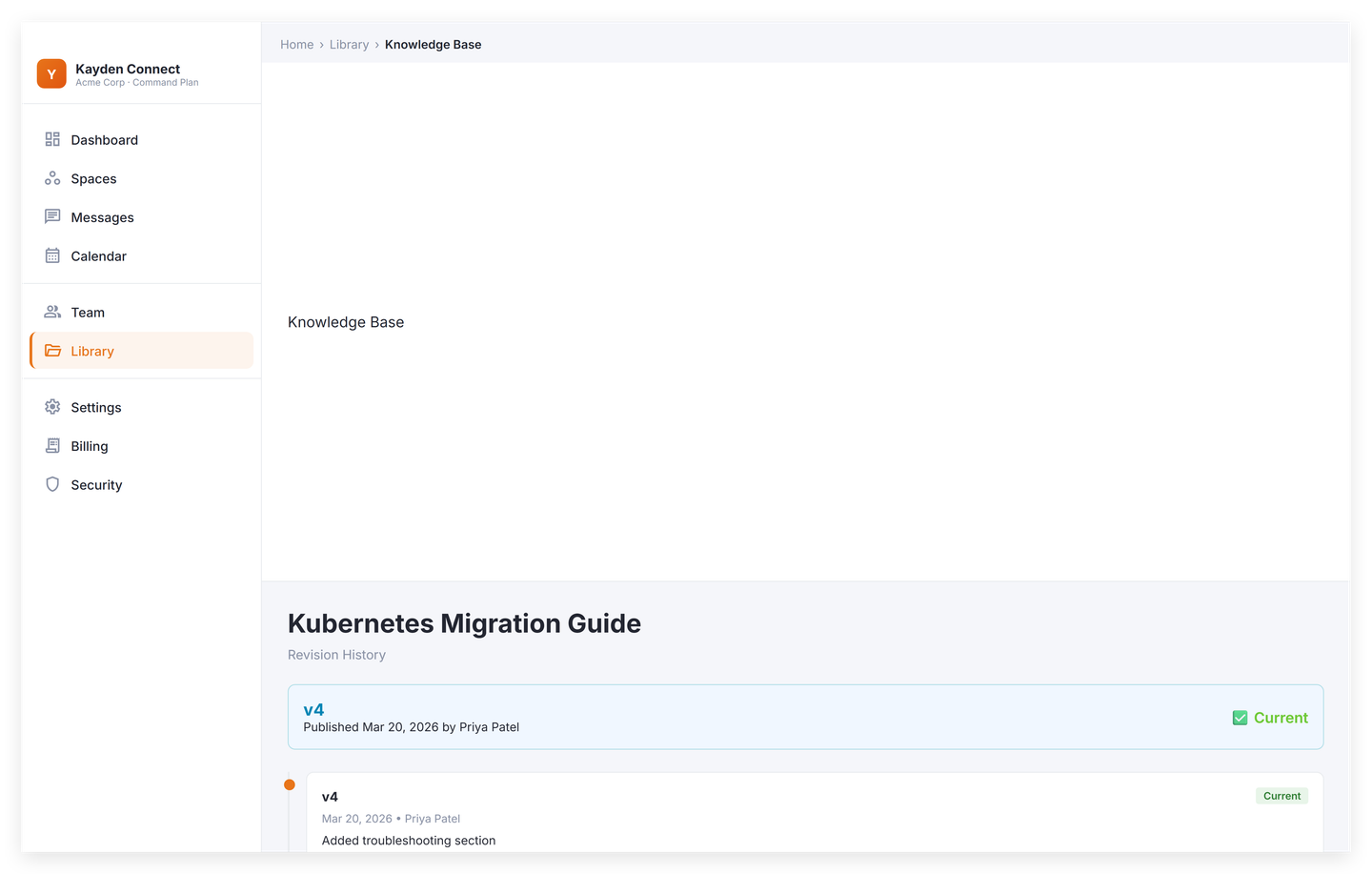
Every publish is a version you can restore
Each publish increments the version number. Open the revision history from the article header, pick any version, and see a side-by-side diff with additions in green and removals in red. Restore creates a new version, so the audit trail stays clean.
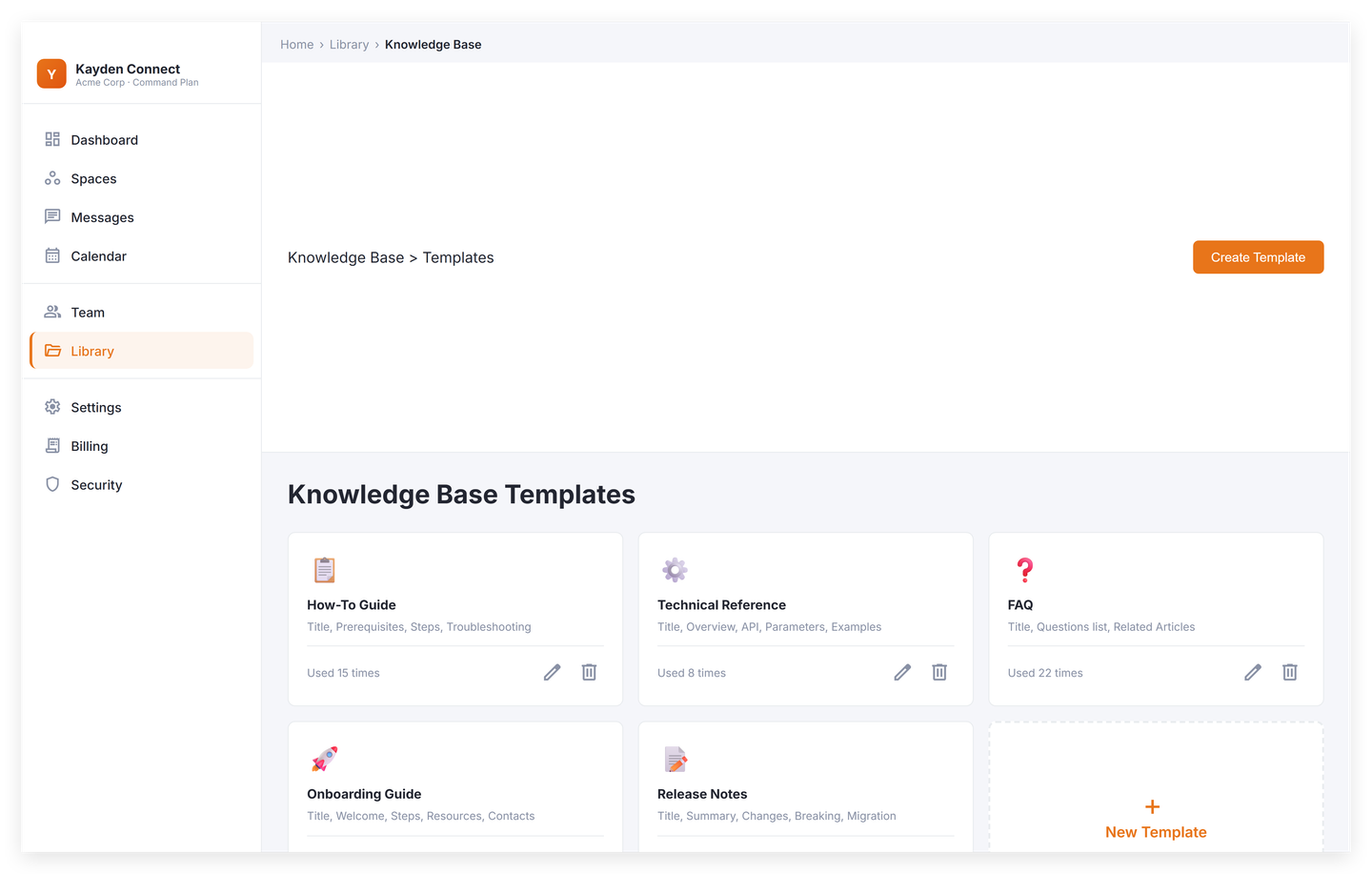
Five templates so you start with structure
Company Policy, How-To Guide, Meeting Notes, Onboarding Checklist, and FAQ are pre-built. Comms Admins can save any article as a custom template, so the seventh policy gets the same shape as the first.
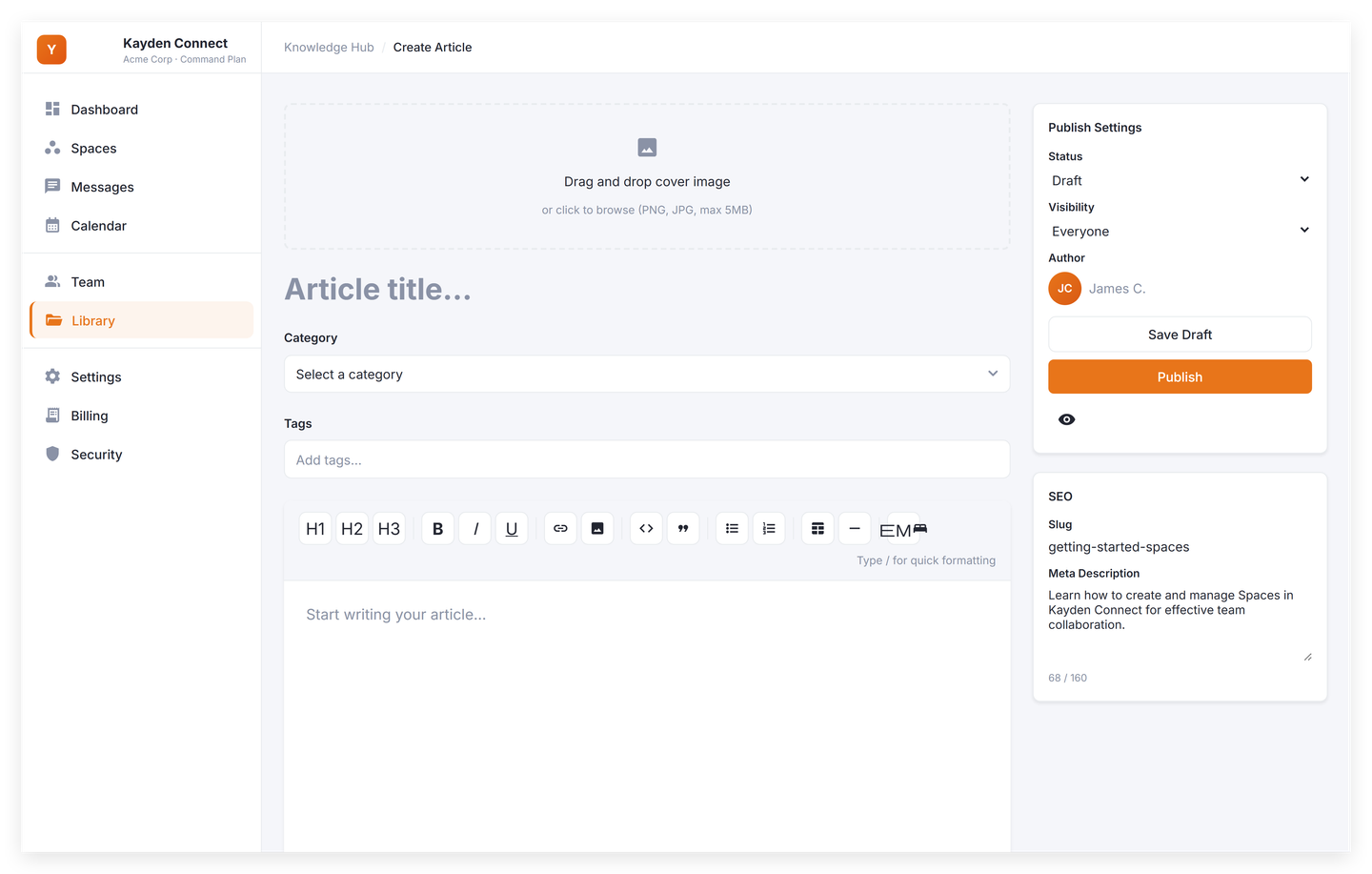
A block editor your team already knows how to use
Thirteen block types covering headings, lists, tables, code, callouts, file attachments, and embedded videos. A familiar formatting strip across the top, full keyboard support, and a draft that autosaves on every edit.


Plan availability
Every plan ships the Knowledge Hub.
Spark gives you the Knowledge Hub with a cap of fifty articles, read-only for employees and create-and-edit for admins. Command opens the cap to unlimited and gives the block editor to anyone with permission to write. HQ then adds approval workflows for new articles and major edits, plus the unlimited audit trail across every article you publish.
Get started
A wiki your team will actually read.
14-day credit-card trial. You can cancel any time during the trial. No free tier, no surprise charges, and no contract.