

Feature · Company Feed
The feed your whole company will actually read.
Posts appear in the order they were sent. No algorithm, no scoring, no surprise re-ranking. Send an Announcement and you’ll know exactly who read it and who needs a nudge.
The post types
Three post types, built for the job they do.
Every post in Kayden Connect is one of three types. Each one is built for a specific job, so your team always knows where to look and what to expect.
Update
Use Updates for the everyday: team news, project status, and FYI items. Available on every plan.
Win
Celebrate a team success with public recognition built right in. Available on every plan.
Announcement
Asks every person to confirm they have read it. You get live progress, one-tap reminders, and a CSV export. Available from the Command plan and above.
How the feed works
Chronological, transparent, and yours to control.
Posts appear in the order they were sent. Nothing scores them. Nothing ranks them. Admins can pin up to three posts to the top of any feed, in the Global feed or a Space, and they stay pinned until you unpin them or an auto-unpin date you set.
Strictly chronological
Posts appear in the order they were sent. There is no engagement-based ranking and no algorithm deciding what to surface.
One unified stream
You see posts from every Space you belong to in a single feed, so there is no tab-hopping to stay current.
Reactions in the feed, conversation in Spaces
Five reactions on every post: thumbs up, heart, celebration, surprised, and lightbulb. Threaded replies live inside Spaces, two levels deep, so longer conversations stay close to the team they belong to.
Per-post analytics
Reach, reactions, comment count, and read rate on every post, plus acknowledgment rate on Announcements. The post author and admins are the ones who see the numbers.
AI behind every post
AI for every post, before and after.
Not a chatbot tacked on the side. Three AI capabilities that sit quietly behind every post: one in the composer, one at publish, and one in the analytics that come back to you.
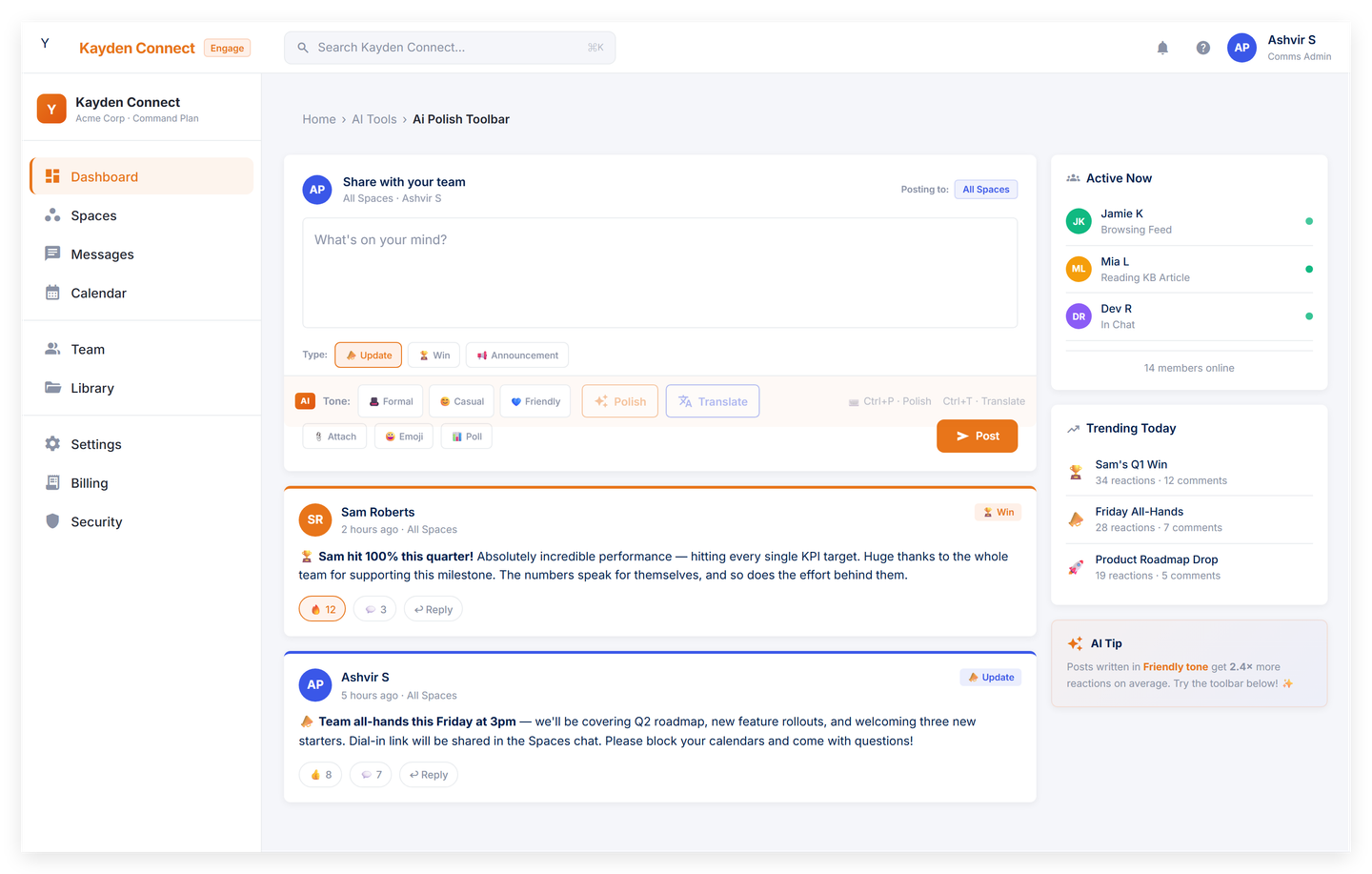
AI Polish, right in the composer
Highlight a sentence, pick what you want done, and watch the new version stream in as it is written. Posts that have been polished by AI carry a small AI-assisted indicator on the post detail view, so anyone reading the post can see what was generated.
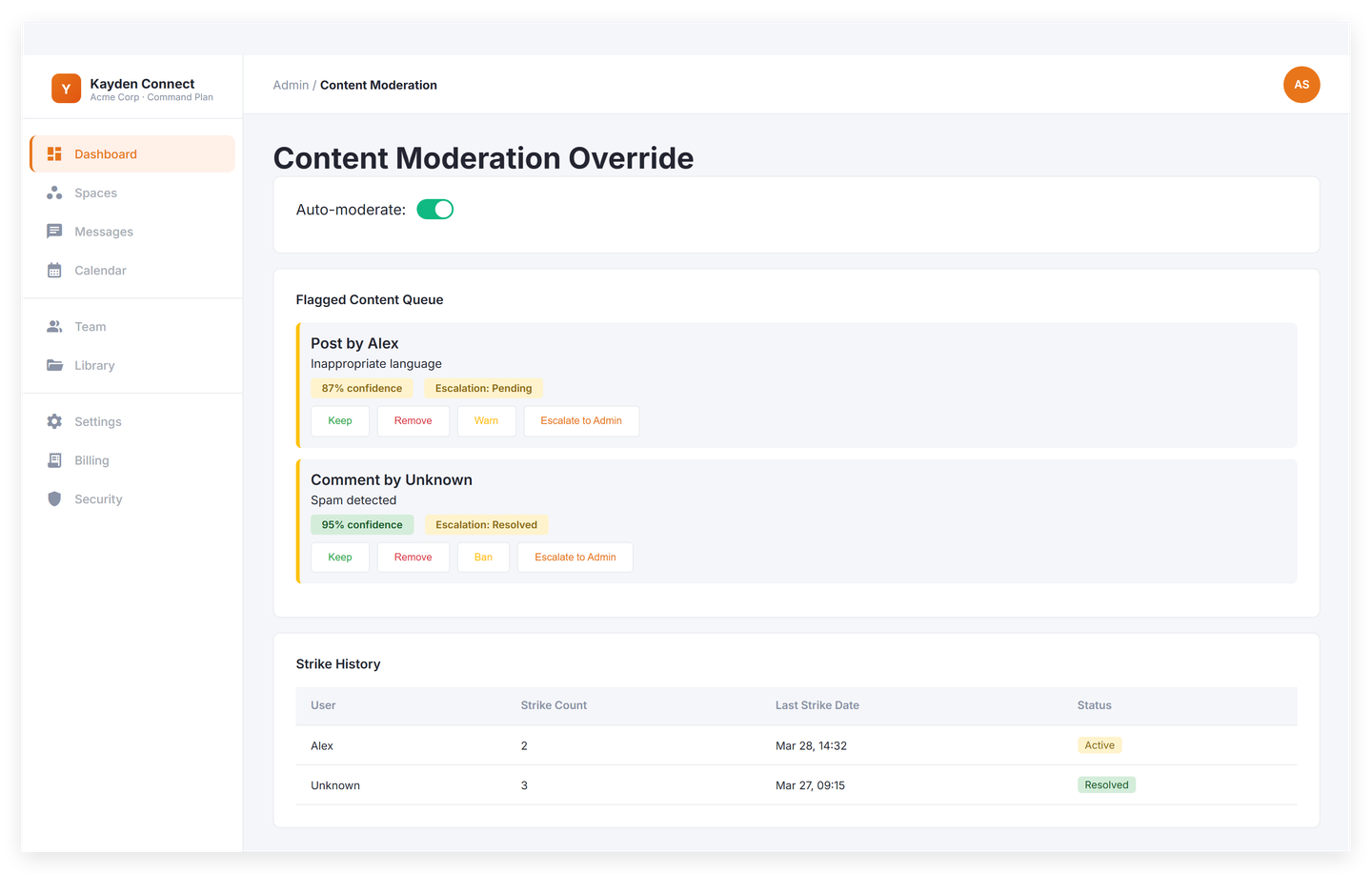
Moderation that does not slow you down
Posts publish into the feed instantly. Image and text moderation runs in the background, and anything flagged is auto-hidden within seconds and routed to admins for review.
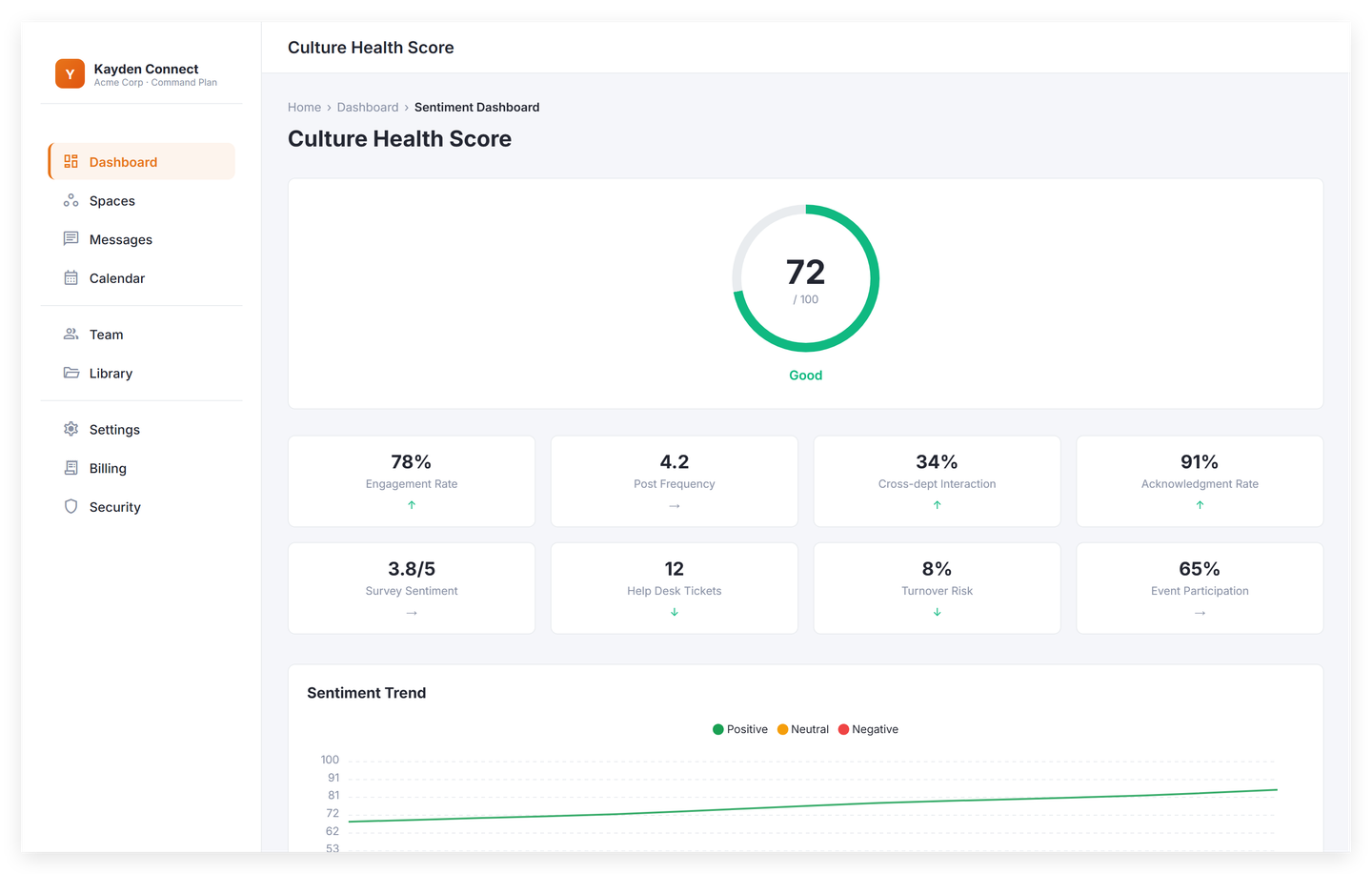
Sentiment that respects privacy
Sentiment scores roll up daily by tenant, department, and Space. They are anonymous by design and never tied to any one post or person. Trend lines and weekly digests show you where company mood is shifting.


Plan availability
The Feed comes on every plan. Announcements unlock on Command.
Spark
Where the Feed starts:
- Chronological Feed
- Update post type
- Win post type
- Up to 50 users
Command
Everything in Spark, plus:
- Announcements
- Acknowledgment tracker
- One-tap reminders
- CSV export
- Up to 250 users
HQ
Everything in Command, plus:
- Approval workflows
- Executive dashboard
- Unlimited audit trail
- REST API access
- Video posts (600 min/month)
- 500 GB storage
Get started
See who reads your next announcement.
14-day trial, card required at signup. Cancel any time before it ends and you won’t be charged. No free tier, no contract.