

Feature · Spaces
A space for every team.
A feed for the whole company.
Spaces give every team a chronological feed, threaded replies two levels deep, and a quiet place to share files. Set them up in the wizard or import your org chart from a CSV. Admins manage the door.
What you get
A room for every team. Built in.
Each team gets one room. Post, react, thread, share files. Everything for one team lives in one place.
Department-anchored
Map each department to a Space during setup. The wizard takes a CSV or a paste from your org chart and creates them all at once. No naming meetings, no sprawl.
Bulk invite, role-based defaults
Invite a whole department from CSV, assign roles on import, and they land in the right Space on first login. No IT ticket required.
Threaded conversation, two levels deep
Replies live with the post they answer. Five reactions on every post, so a quick thumbs up does not become a clutter of plus-one comments.
Public or private, your call
Space Admins decide who can see the Space and who can join. Approve membership manually on private Spaces, or open the door to everyone.
Inside a Space
Inside the room your team shares.
Every Space is a chronological feed scoped to one team. Posts appear in the order they were sent. Pinning, post analytics, and the same five reactions from the company feed are all there, just for the team that needs them.
Chronological per Space
Same chronological order as the company feed, scoped to the team that cares.
Pin up to three
Space Admins can pin three posts to the top, with an optional auto-unpin date.
Space Admin keeps the room tidy
Approves members on private Spaces, moderates posts, and pins what matters.
Share into the right Space
Any company-wide post can be shared into the Space it actually concerns, so a global update becomes a focused team discussion.
Membership + privacy
Built for the team behind the work.
A Space is more than a feed. It carries the team itself: who belongs in the room, who has joined this week, and what is on the pinned-posts list right now.
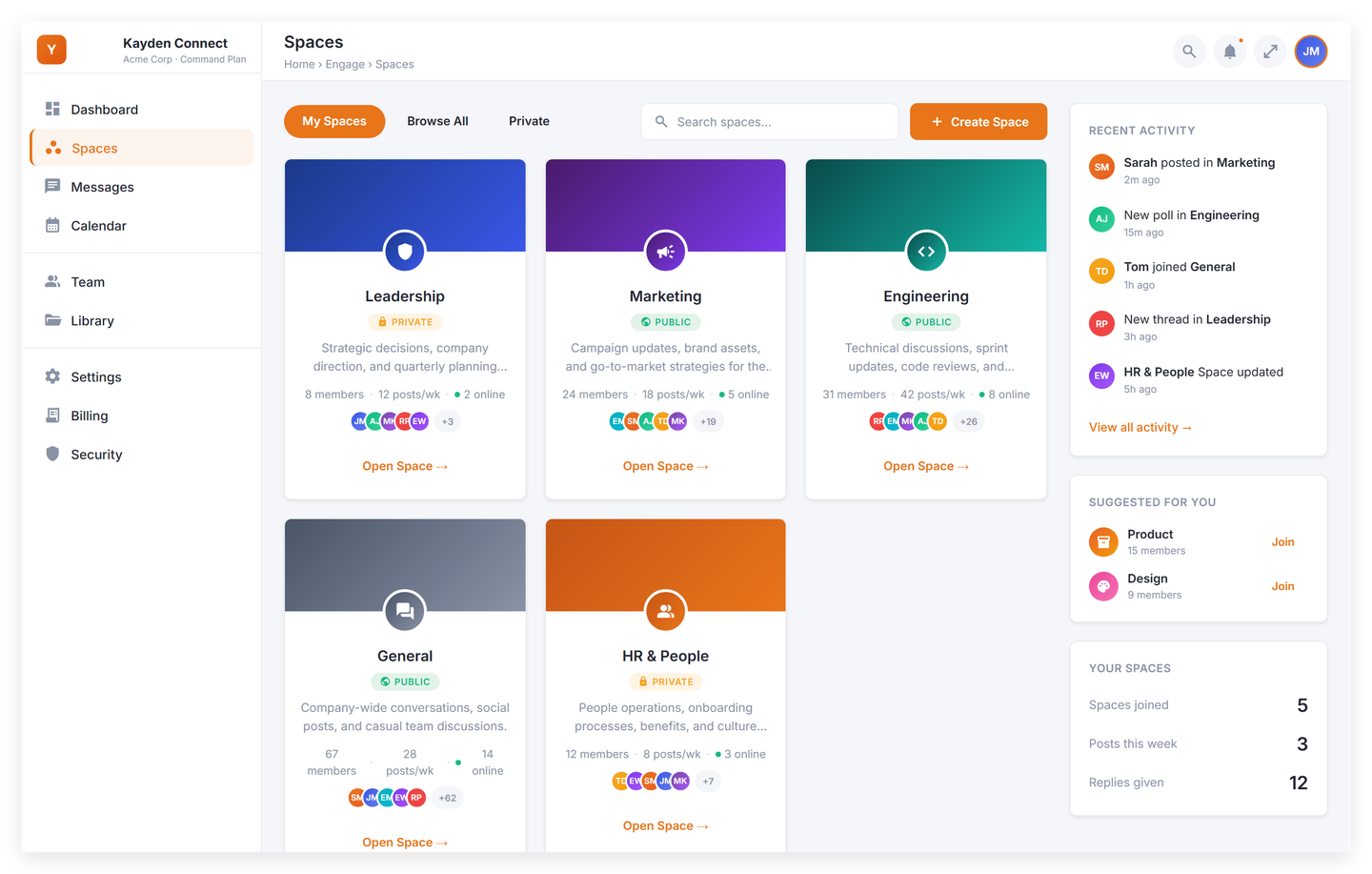
Stand a team up in minutes
Create a Space, bulk-invite the department from CSV, and assign roles on import. A new hire opens the app on day one and the right feed is already waiting. No IT ticket required.
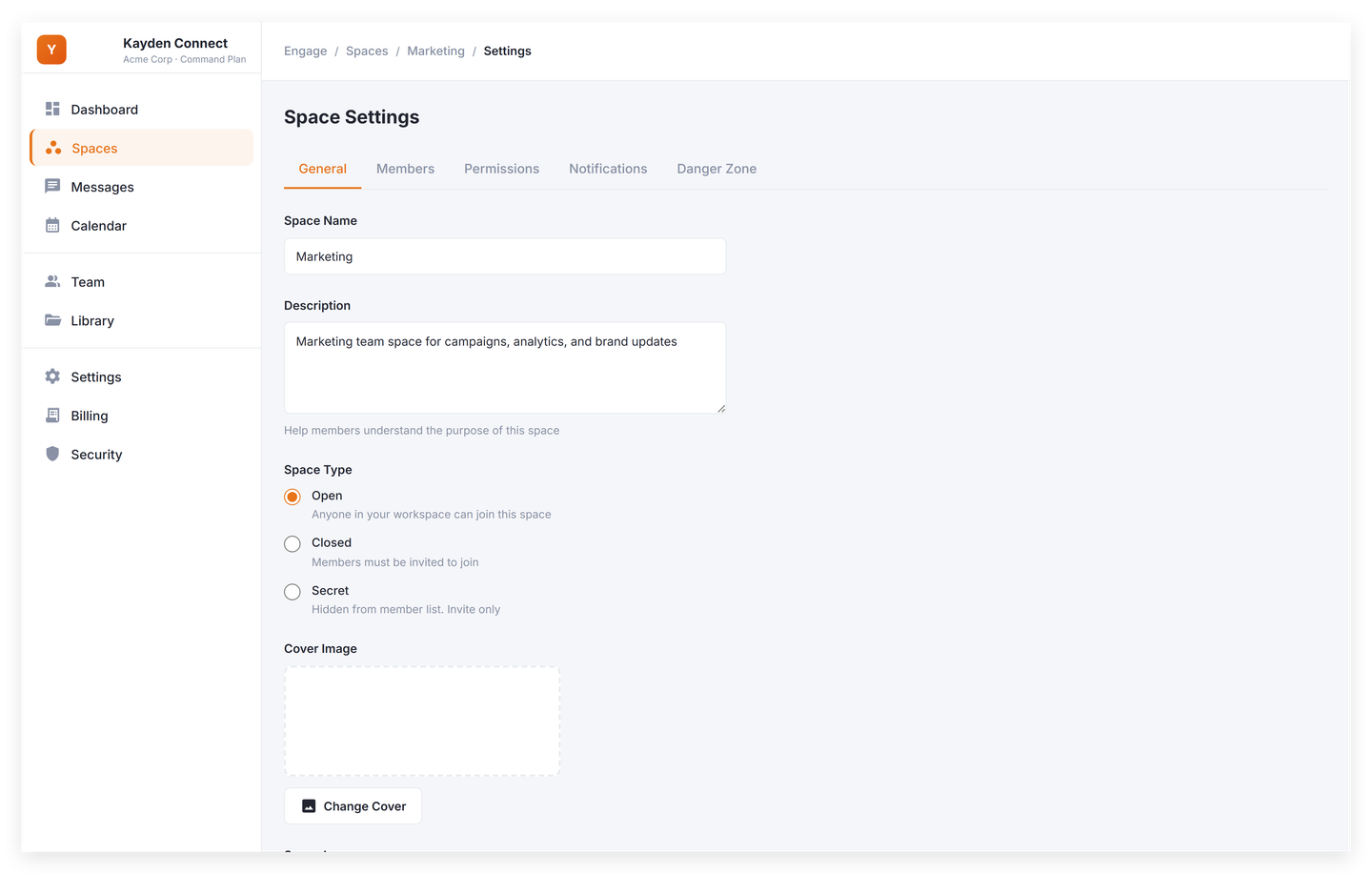
Privacy you actually control
Each Space is public or private. Space Admins approve every member request on private Spaces and keep the room aligned with the people who should be there.

The team and its everyday signals
Every Space has a members panel, activity sidebar, pinned posts, and a weekly engagement summary. The whole team sees the same view, in one place.


Plan availability
Spaces scale with your plan.
Every plan ships with Spaces. The limit and the extras grow as your team does.
Spark
Includes:
- Up to 5 Spaces
- Chronological feed in every Space
- Update and Win posts
- Threaded replies, two levels deep
- Public and private Spaces
- CSV bulk invite
Command
Everything in Spark, plus:
- Up to 25 Spaces
- Announcements with the acknowledgment tracker
- AI content polish and co-pilot
- Pulse surveys and polls
- 90-day analytics retention
HQ
Everything in Command, plus:
- Unlimited Spaces
- Approval workflows
- Append-only audit log (tamper-evident on roadmap)
- Executive dashboard (weekly AI email briefs on roadmap)
- Public API access
- Video posts (600 min/month)
Get started
Your team already has a room. Open the door.
14-day credit-card trial. You can cancel any time during the trial. No free tier, no surprise charges, and no contract.